
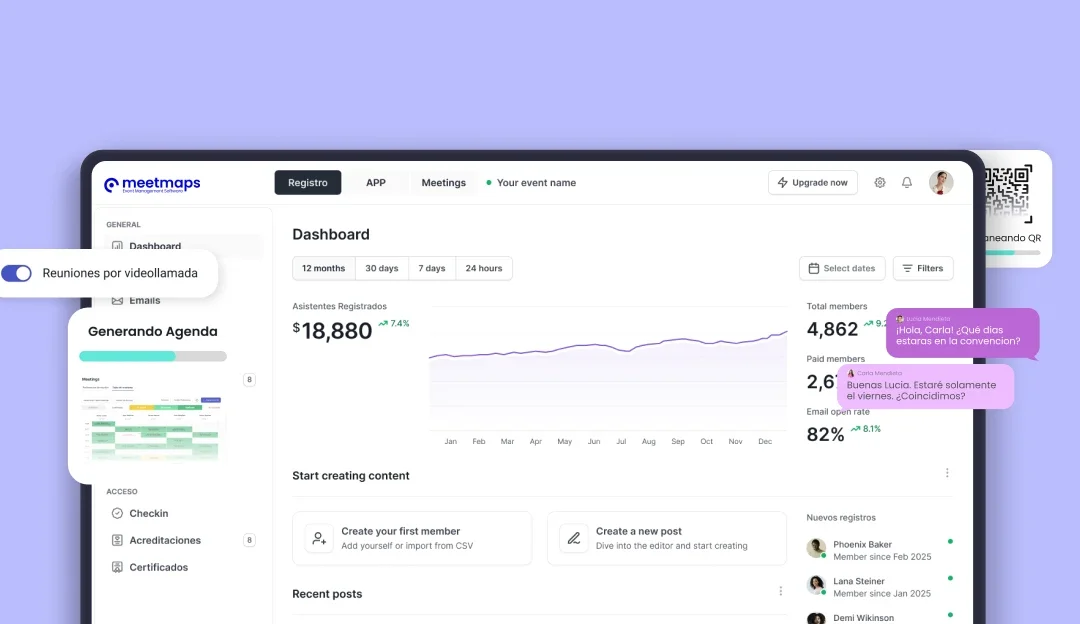
An event app can become one of the most useful touchpoints between attendees and the event itself. It brings together the information they need, keeps them updated when something changes and gives them easier ways to participate and connect.
From checking the agenda to finding a speaker, receiving a last-minute notification or discovering other attendees, the app helps reduce the number of places people need to look for information. And for planners, that means having a direct channel to communicate with attendees before, during and even after the event.
In this guide, we’ll look at what an event app is, its main benefits and how to make better use of it throughout the event journey.
What are event apps?
Event apps are digital platforms designed to bring the attendee experience together in one place. Depending on the event and the modules activated, attendees can consult the agenda, discover speakers and exhibitors, receive notifications, participate in live interactions, network with other attendees or access their meetings.
For event planners, the app becomes a central communication and engagement channel that can be adapted to the needs of each event.
 Benefits of using event apps and conferences
1️⃣ Optimized planning and organization
An event app helps centralize the information attendees need throughout the event: agenda, speakers, documents, locations, exhibitors and other relevant content.
For the organization, having this information connected in one digital environment makes updates easier and reduces the risk of attendees consulting outdated versions.
2️⃣ Improving communication
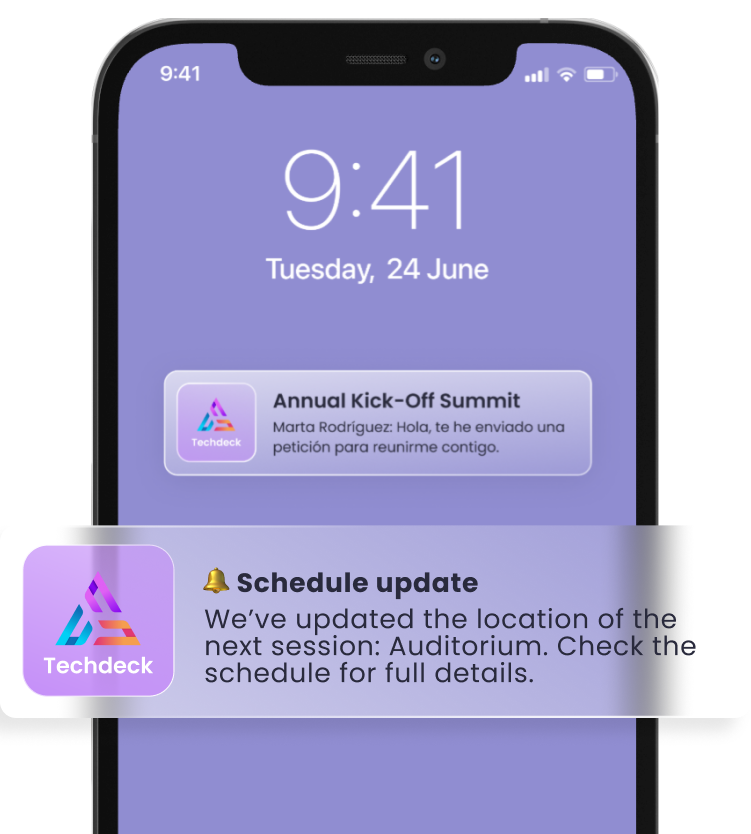
Effective communication is essential for any event or conference. Apps allow organizers to send important notifications to participants, keep them informed about changes, schedules or locations, and even encourages real-time interaction through chats or forums. This then ensures that everyone is kept up to date and contributes to a smoother and more enriching experience.
With Meetmaps, push notifications can be sent instantly or scheduled in advance, and they can also be segmented for specific attendee groups.
💡 TIP: reserve push notifications for information that genuinely helps the attendee at that moment. If every update becomes a notification, the important ones lose impact.
3️⃣ Access to relevant information
With an event app, attendees can access key information such as the agenda, speaker profiles, venue maps, documents, sponsors or exhibitors from the same place. This makes it easier to move through the event and reduces the need to search across emails, PDFs or different websites.
4️⃣ Interaction and networking
An event app can also turn a passive attendee into a more active participant. Depending on the event, attendees can send messages, interact with speakers, vote in polls, save favorite sessions, discover other participants or manage their Meetings 1to1.
The important thing is not to activate every possible feature, but to choose the interactions that make sense for the audience and the objective of the event.
🧠 TO REMEMBER: an event app is not valuable because it has more features. It is valuable when attendees know where to go and why they should use it.
Key features of apps for events and conferences
1️⃣ Personalized agenda and scheduling
One of the most useful features of an event app is having the programme available in real time. Attendees can browse sessions, check locations and, depending on the configuration, save or reserve the sessions that interest them. In Meetmaps, the agenda can include standard, in-person, streaming or hybrid sessions and can be connected with other modules such as speakers, rooms and participant management.
2️⃣ Event information and details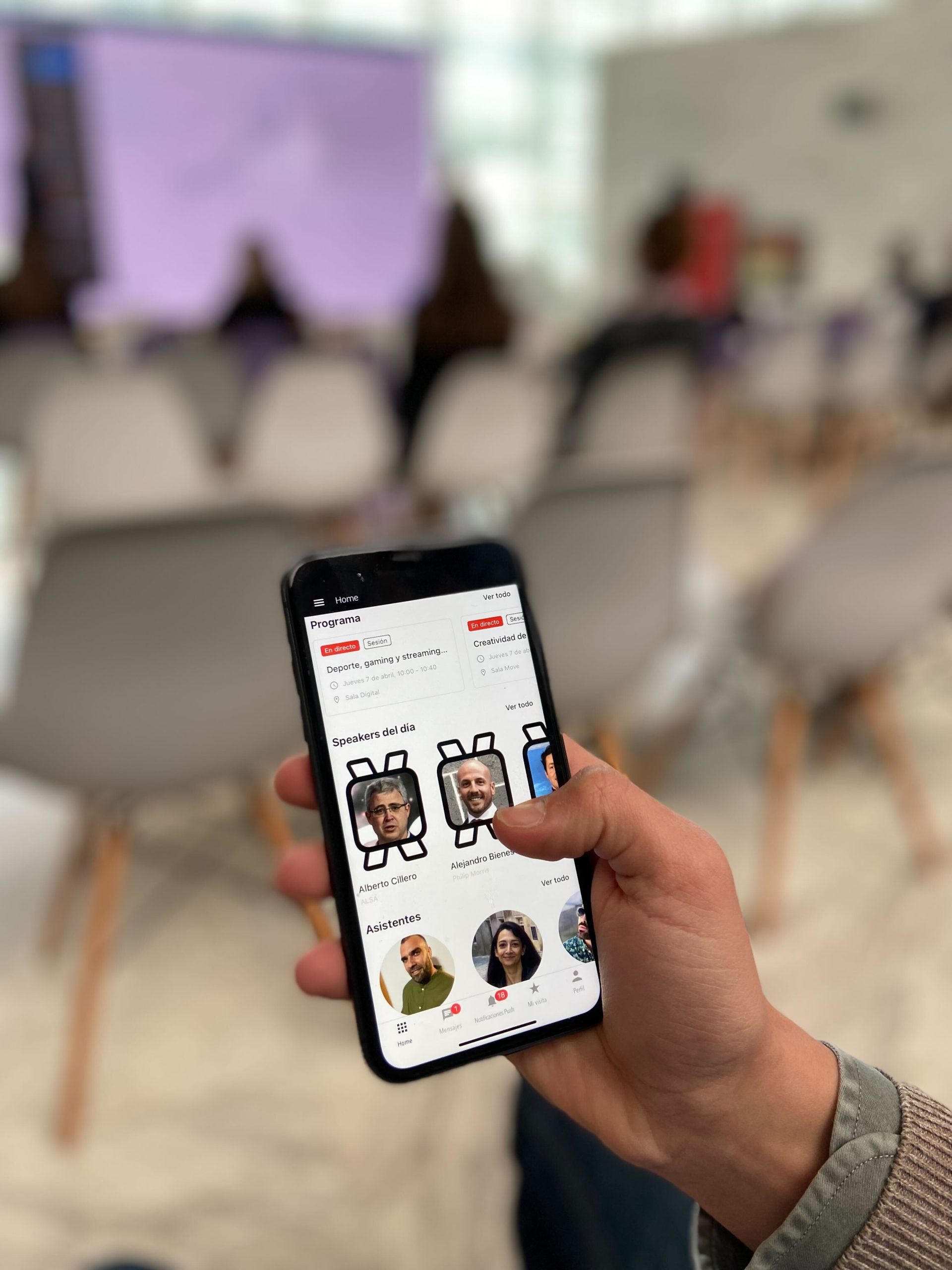
The app can become the main reference point for practical information: event details, speakers, maps, documents, exhibitors, sponsors or important updates. Having everything in one place makes the attendee journey much easier, especially when information changes during the event.
3️⃣ Live interaction and networking
Q&A, live polls, private messages, attendee profiles, gamification or Meetings 1to1 can turn the app into much more than a digital programme. These features are especially useful when the goal is to encourage participation and create connections between attendees.
4️⃣ Evaluation and feedback
Surveys and feedback tools can help organizers understand how attendees experienced the event, which sessions generated more interest and what could be improved in future editions. Combined with other participation data, this gives the post-event analysis much more context.
Tips for making the most of apps for all types of events
1️⃣ Choose the app based on the experience you want to create
Before choosing an event app, think about what attendees actually need to do with it. Is it mainly an information hub? A networking tool? A way to interact during sessions? Or a combination of all three? Starting from the attendee journey makes it much easier to decide which features are genuinely useful.
2️⃣ Promote the app before the event 
Don’t wait until attendees arrive at the venue to introduce the app. Share it beforehand through email, registration communications or other event channels and explain what they will find there. If networking, favorites or Meetings are part of the experience, activating the app early gives attendees more time to explore and prepare.
💡 TIP: don’t communicate “download the app” as the only message. Give attendees a reason: build your agenda, discover who’s attending, book meetings or receive live updates.
3️⃣ Keep the content updated
An app only works as a reliable source if the information inside it stays current. Agenda changes, room updates or new content should be reflected there as soon as possible. Push notifications are especially useful when an update needs immediate visibility.
4️⃣ Provide support and training
Make sure attendees know where to go if they have questions about the app. A short tutorial, clear onboarding message or visible support contact is often enough. The easier the first experience is, the more likely attendees are to keep using the app throughout the event.
An event app works best when it stops feeling like an extra tool and becomes the natural place attendees go to understand what is happening. Agenda, notifications, networking, participation and useful information can all come together in the same experience, making the event easier to navigate and much more connected.
With the Meetmaps Event App, you can combine different information, interaction, networking and gamification modules depending on what your event actually needs. Because the best event app is not the one with the most features. It is the one attendees actually want to use.
Want to see how it could work for your next event? Discover the Meetmaps Event App. 🚀
Related blogs: