
Índice de contenidos
Event lead capture shouldn’t be measured solely by the number of badges or QR codes an attendee manages to scan during a trade show or conference.
Let’s put it into context: over two days at a conference, you meet 30 people. You have interesting conversations, someone asks you about a specific service, another company wants to receive more information, and with another contact you even discuss scheduling a meeting for the following week. So far, so good. The problem comes three days later, when you have several names saved, a few loose business cards, notes scattered between your phone and a notebook… and you can no longer remember exactly what each person wanted or why that particular conversation was interesting.
And that’s where the real difference lies between saving a contact and capturing a meaningful lead.
The value isn’t only in saving their name, company or email address, but also in keeping enough context to be able to pick up the conversation once the event is over. That is precisely why today’s lead scanning solutions are increasingly focused on combining contact-data exchange with notes and useful information for follow-up. So, in today’s article, we’ll look at how event lead capture works and what you can do to improve it. Keep reading so you don’t miss anything!
What is event lead capture and how does it work?
 Event lead capture is the process of identifying and saving the details of people you have had a relevant interaction with during a trade show, conference or professional event.
Normally, the process seems fairly simple: you have a conversation, exchange details and follow up afterwards. But in practice, when dozens of interactions start to add up, that flow can become a little more complex.
This is exactly where digitalizing the process helps. Instead of exchanging business cards, taking photos of badges or writing down names to look them up later, the process can become much more direct:
CONVERSATION → SCAN → CONTEXT → FOLLOW-UP
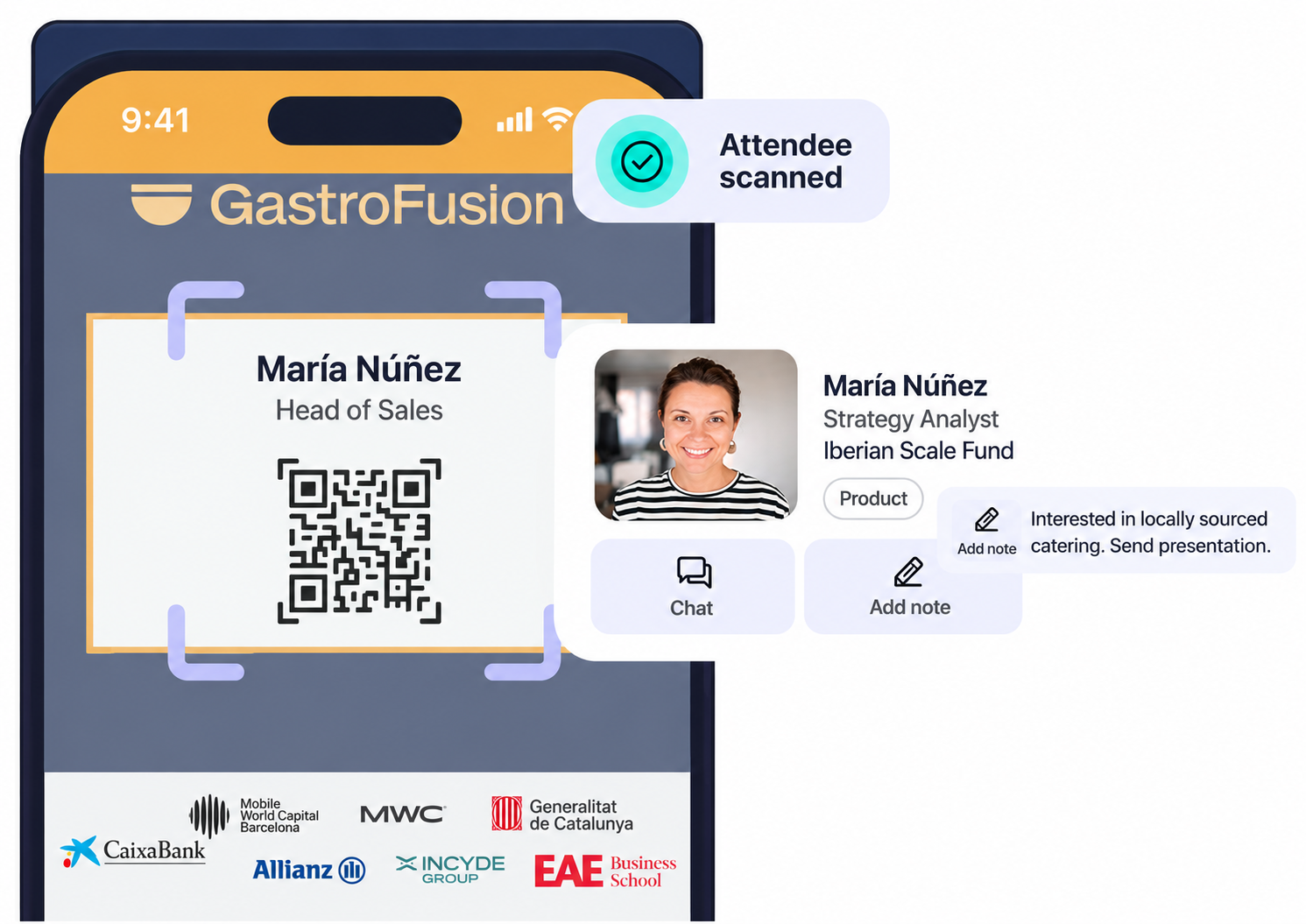
For example, with the Meetmaps Lead Scanner, attendees and exhibitor representatives can scan the QR code on another person’s badge to save the contact details previously configured by the planner. After scanning, attendees can add private notes and export the contacts they have collected for later follow-up.
How to improve event lead capture
Capturing more leads does not necessarily mean capturing better leads. If you finish the event with 200 contacts but don’t know which ones are worth following up with, what each person was interested in or what you discussed with them, you’ll have plenty of data but very little context.
That’s why, rather than thinking about “scanning as much as possible”, it makes more sense to work on the entire contact journey.
1️⃣ Capture the contact in the moment
It may sound basic, but this is where a lot of information gets lost. A conversation ends, someone else approaches, the next session starts, and that “I’ll save their contact later” can easily turn into “What was their name again?”
 Scanning the QR code on the attendee’s badge immediately after the conversation reduces that friction. With the Meetmaps Lead Scanner, exhibitors can directly scan the QR codes of visitors to their stand and save their details without relying on physical business cards or manually entering the information later.
This is particularly useful at trade shows and B2B events, where the same sales representative may speak to a large number of people throughout the day.
2️⃣ Save the context of the conversation too
This is probably the most important point: Knowing that you spoke to Marta from Company X is useful. But knowing that Marta was looking for a solution for an event with 800 attendees, that she was particularly interested in networking, and that she asked you to send information the following week is far more valuable.
At this point, it helps to keep things practical. You don’t need to write a detailed report after every conversation. Sometimes, three things are enough: What they’re looking for → what interested them → next step.
💡 For example: “Looking for software for a 1,200-person conference. Interested in 1:1 Meetings. Send info and call on Thursday.”
3️⃣ Connect the different signals of interest
A scan tells you something very specific: these two people met and decided to share their contact details. But during an event, other interactions can take place that also provide useful context.
An attendee may have had a 1:1 meeting, viewed an exhibitor’s profile, downloaded a document or interacted with specific content. In Meetmaps, for example, the Meetings and Exhibitors modules generate their own activity and data. With Premium Exhibitors, it is possible to view information such as profile visits, visitors and downloaded documents.
This allows us to do something interesting from an analysis perspective: stop looking at each interaction completely in isolation: A scan tells us: “we met.” A meeting may indicate that there was enough intent to dedicate time to the conversation. A download or an interaction with the exhibitor’s space can provide another signal of interest.
🧠 TO REMEMBER: having a large number of leads does not necessarily mean the event performed better. What matters is how many of those contacts have enough context and interest to potentially become a meaningful conversation afterwards.
4️⃣ Prepare the follow-up before the event ends
Follow-up often starts too late. The team returns from the event, a couple of days go by, contacts need to be organized, conversations reconstructed and responsibilities assigned. By then, part of the context may already have been lost. That’s why it makes a lot of sense to start thinking about follow-up during the event itself. This way, you can arrive at the post-event stage with more organized and actionable information instead of starting from a pile of business cards.
What types of events benefit most from a Lead Scanner?
Although contact capture can be useful across many event formats, there are some where it makes particular sense because a large part of the value lies precisely in the conversations and opportunities generated between attendees, companies and exhibitors.
1️⃣ Trade shows and B2B events
This is probably where you can get the most value from it. At trade shows or B2B events, a stand may speak to a large number of people in a single day and, without an efficient way of saving those contacts, it is very easy to lose valuable information along the way.
With a Lead Scanner, each conversation can be linked to a specific contact and enriched with notes to make follow-up easier afterwards.
2️⃣ Professional conferences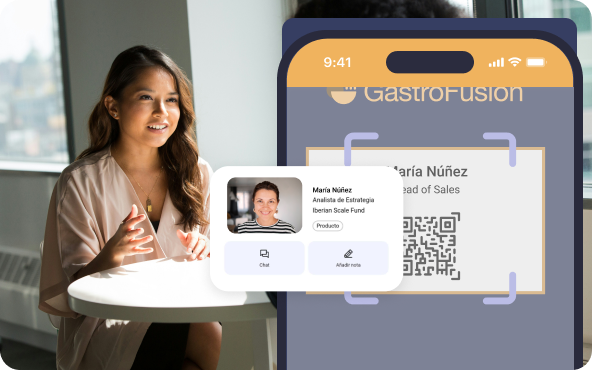
It can also be very useful at conferences and industry events, particularly when networking plays an important role in the attendee experience. Not every conversation ends in a formal meeting, but many of them could eventually turn into collaborations, business opportunities or valuable professional contacts.
3️⃣ Events with exhibitors or sponsors
When brands, sponsors or exhibitors are involved, the Lead Scanner adds an especially valuable layer because it helps them capture contacts in a more organized way and better assess the interest generated during the event.
Instead of relying solely on the amount of traffic passing by their stand, they can save the details of the people they have actually spoken to and prepare a much more useful follow-up afterwards.
💡 TIP: if networking or opportunity generation is one of the main objectives of the event, it is worth defining from the outset how those contacts will be captured and what information the teams will need afterwards to follow up effectively.
How to measure the leads generated at an event
This is where the total number of leads is useful… but falls a little short. For example, saying that an exhibitor generated 180 scans can be a good starting point. But the more interesting question is: what happened with those 180 contacts?
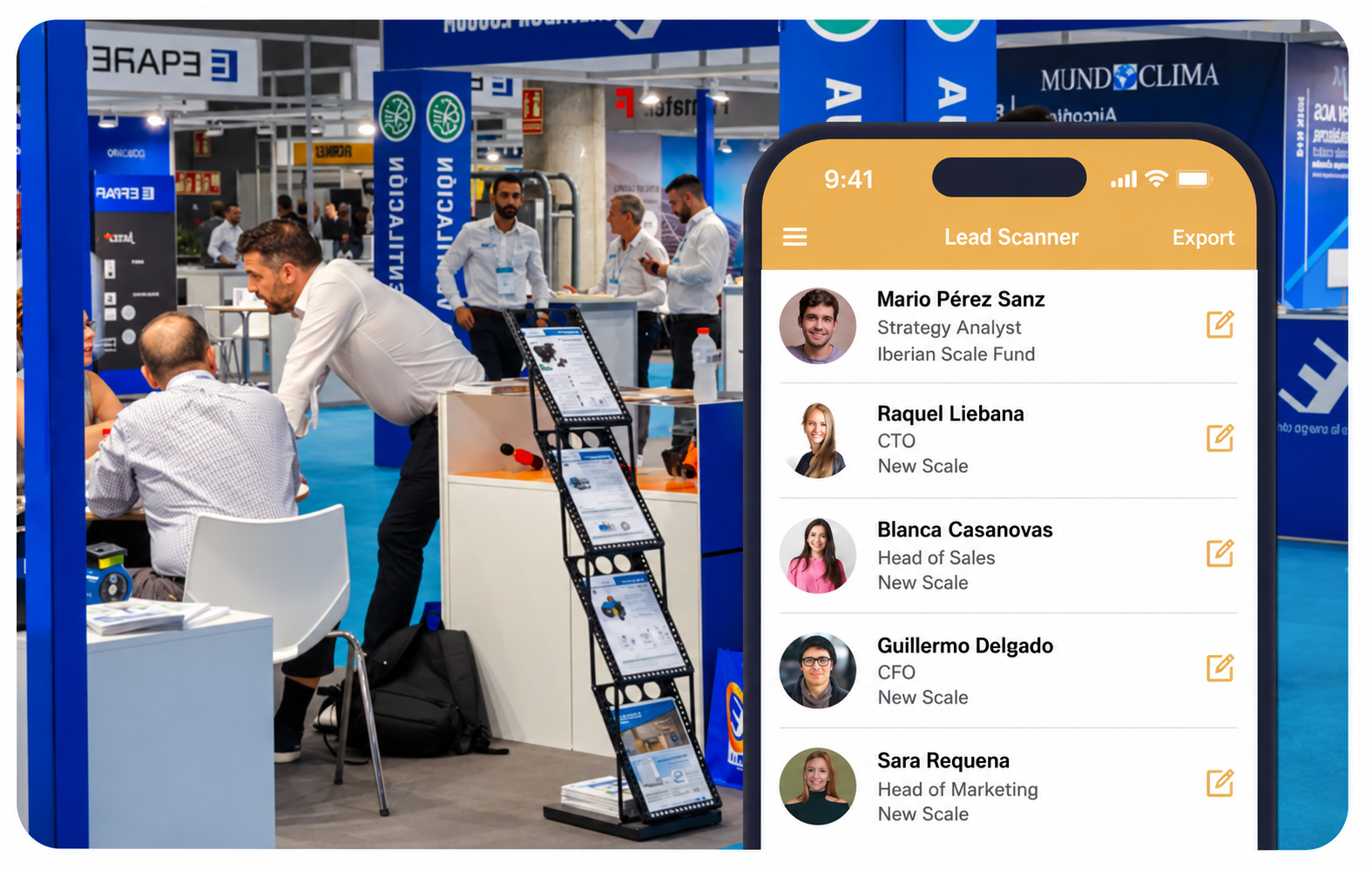
The first thing to look at is volume, because this helps us understand how much commercial activity has been generated. Meetmaps allows you to download information related to the scans performed and see who scanned whom, who was scanned and the total number of contacts recorded.
Then comes quality. This is where notes become particularly useful again, because they help distinguish a casual conversation from a contact with a specific need or an agreed next step.
💡 Did you know…? More and more event solutions are positioning lead retrieval not simply as a way to capture data, but also as a way to demonstrate the commercial value an exhibitor generated during the event.
For example, one stand may have collected fewer contacts than another but generated far more relevant conversations. Or an exhibitor may have received visits to their digital profile, document downloads and meetings in addition to the contacts captured physically.
Capturing the contact is only the beginning
A five-minute conversation can turn into one of the most valuable contacts of the entire event. The problem comes when, three days later, you remember the face but not the name. Or you have the email address but can’t remember what they wanted. Or you find a business card and no longer remember what you had agreed to do next.
Digitalizing event lead capture helps close that gap. With the Meetmaps Lead Scanner, attendees and exhibitors can save contacts by scanning the QR code on their badge, add notes about each conversation and export that information afterwards to continue the follow-up.
Because generating the contact is only the beginning. What really matters is reaching the following Monday knowing why it is worth speaking to that person again. Want your exhibitors and attendees to get more value from every conversation? Talk to our team and discover how to add Lead Scanner to your next event. 🚀