

Índice de contenidos
An event app can make a big difference to how attendees experience an event. Instead of searching through emails, PDFs or different links, they can have the agenda, speakers, venue information, notifications and interaction tools in one place.
And its value goes beyond simply providing information. Depending on the event, the app can also help attendees build their agenda, connect with other participants, interact during sessions and receive important updates in real time. In today’s article, we’ll look at some of the main reasons why an event app can make the attendee experience easier, more connected and more personal.
Quick access to relevant information
1️⃣ Event agenda in one place
Initially, one of the main advantages of using an event app is that it provides attendees with quick and easy access to the full event schedule. This includes details of sessions, conferences, workshops, activities and any last minute changes to the schedule.
With Meetmaps, the agenda can include in-person, streaming or hybrid sessions and can be updated from the event dashboard.
2️⃣ Speaker, sponsor and exhibitor profiles
Event apps often include detailed profiles of speakers, exhibitors and sponsors, and allow attendees to learn more about the experts participating in the event and the companies behind it.

3️⃣ Interactive venue map
Another useful feature of event apps is the inclusion of interactive venue maps, which help attendees find their way around and easily find the locations of different sessions, exhibitors and areas of interest.
4️⃣ Networking and attendee connections
Event apps can help attendees discover other participants, exchange private messages and create new professional connections during the event.
In Meetmaps, the Messages module allows attendees to communicate privately when networking features are activated.
5️⃣ Surveys and feedback
Another way event apps encourage real-time interaction is through surveys and feedback forms. In addition, this allows attendees to provide instant feedback on sessions, speakers and the overall event experience.
6️⃣ Live interaction
Q&A, live polls and other interactive features give attendees a way to participate during the session instead of simply watching it.
7️⃣ Personalised agenda
Event apps often allow attendees to create a personalised agenda by selecting the sessions and activities they wish to attend. This allows them to plan their day according to their individual interests and preferences.
8️⃣ Notifications and reminders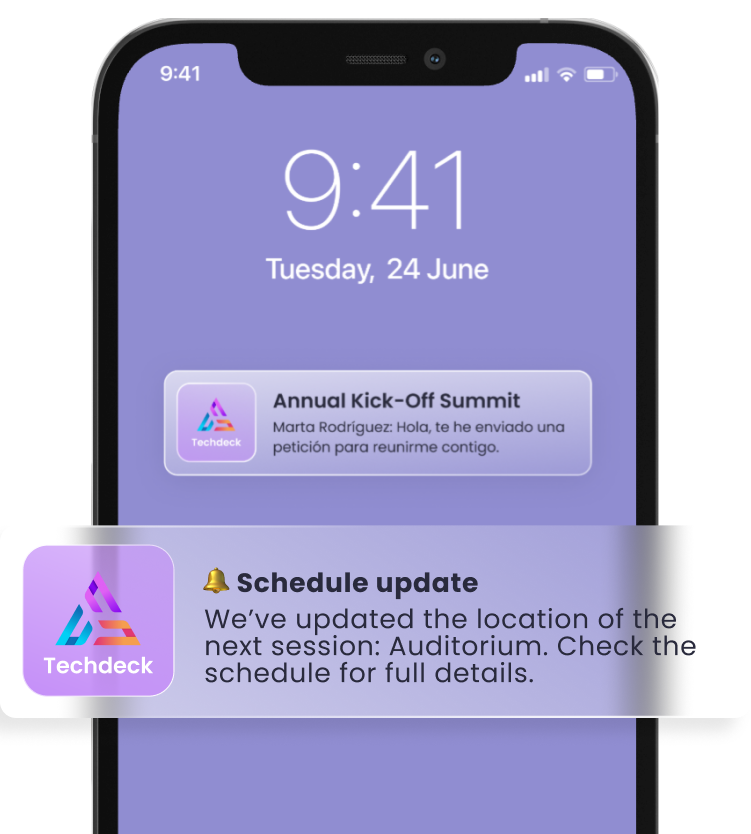
Push notifications can be especially useful for last-minute changes, session reminders or important event updates.
With Meetmaps, notifications can be sent instantly or scheduled in advance and can also be segmented for specific groups of attendees.
💡 TIP: use push notifications for information that genuinely matters at that moment. Too many alerts can make attendees stop paying attention to the important ones.
9️⃣ Access to exclusive content
Finally, some event apps offer access to exclusive content, such as speaker presentations, background papers and additional educational materials, which can enrich the attendee experience and provide added value.
🧠 TO REMEMBER: an event app works best when it becomes the natural place attendees go to check what is happening, not another tool they have to remember to open.
In short, an event app can make the attendee journey much easier: information is easier to find, changes are easier to communicate and participation can happen directly from the same place. The key is not to activate every possible feature, but to choose the ones that genuinely support the experience you want to create.
With the Meetmaps Event App, you can combine information, interaction, networking and gamification modules depending on the needs of each event. Because the best app is not the one with the most features. It is the one attendees actually find useful.